Now available for Windows
Backup first. Culling later.
RawGuard backs up every card to two drives in one pass and checks every file. Then it lets you cull the shoot with the keys you already know from Lightroom. One app, from card to keepers.
Free 30-day beta Windows 10 and 11
How it works
Back up in three steps.
-
1Name the project
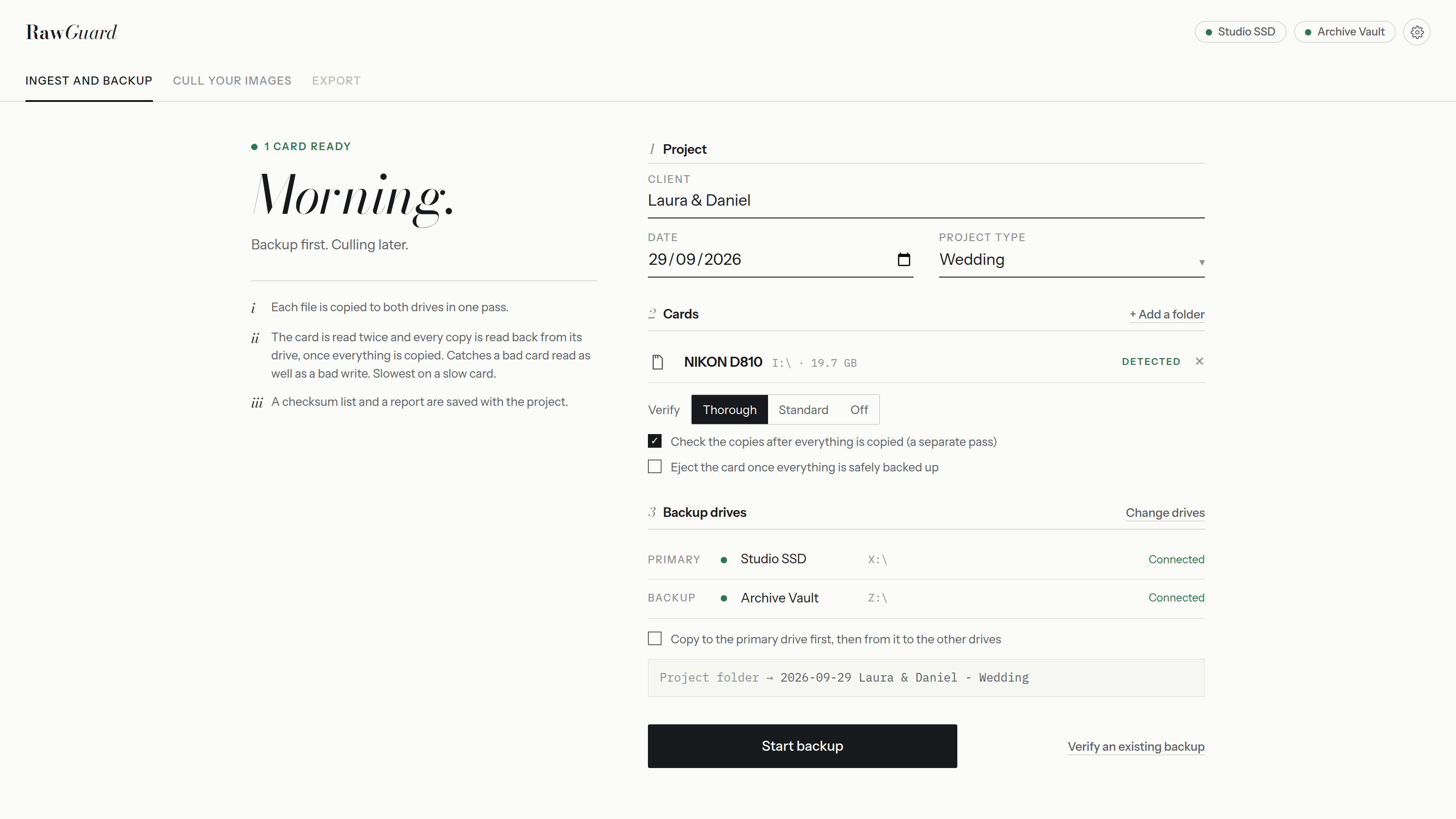
Client, date and shoot type. RawGuard builds the folder for you.
Project folder → 2026-09-29 Laura & Daniel - Wedding -
2Insert your cards
Cards are detected as soon as they mount. Add a folder if you shot tethered.
NIKON D810 I:\ · 19.7 GB Detected -
3Start backup
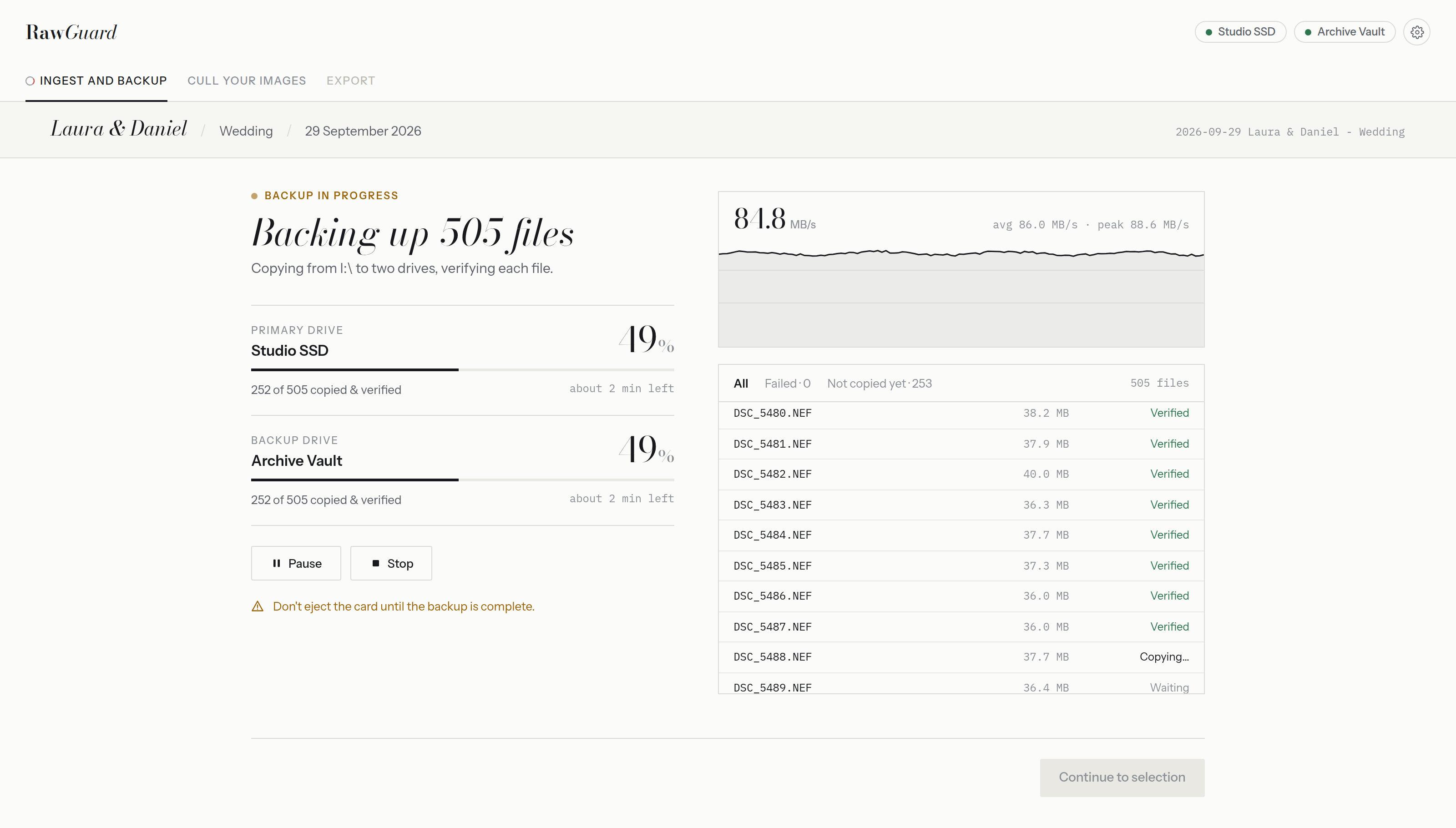
Every file goes to your primary and backup drive at the same time.
Studio SSD + Archive Vault
Culling
Cull at the speed of your keyboard.
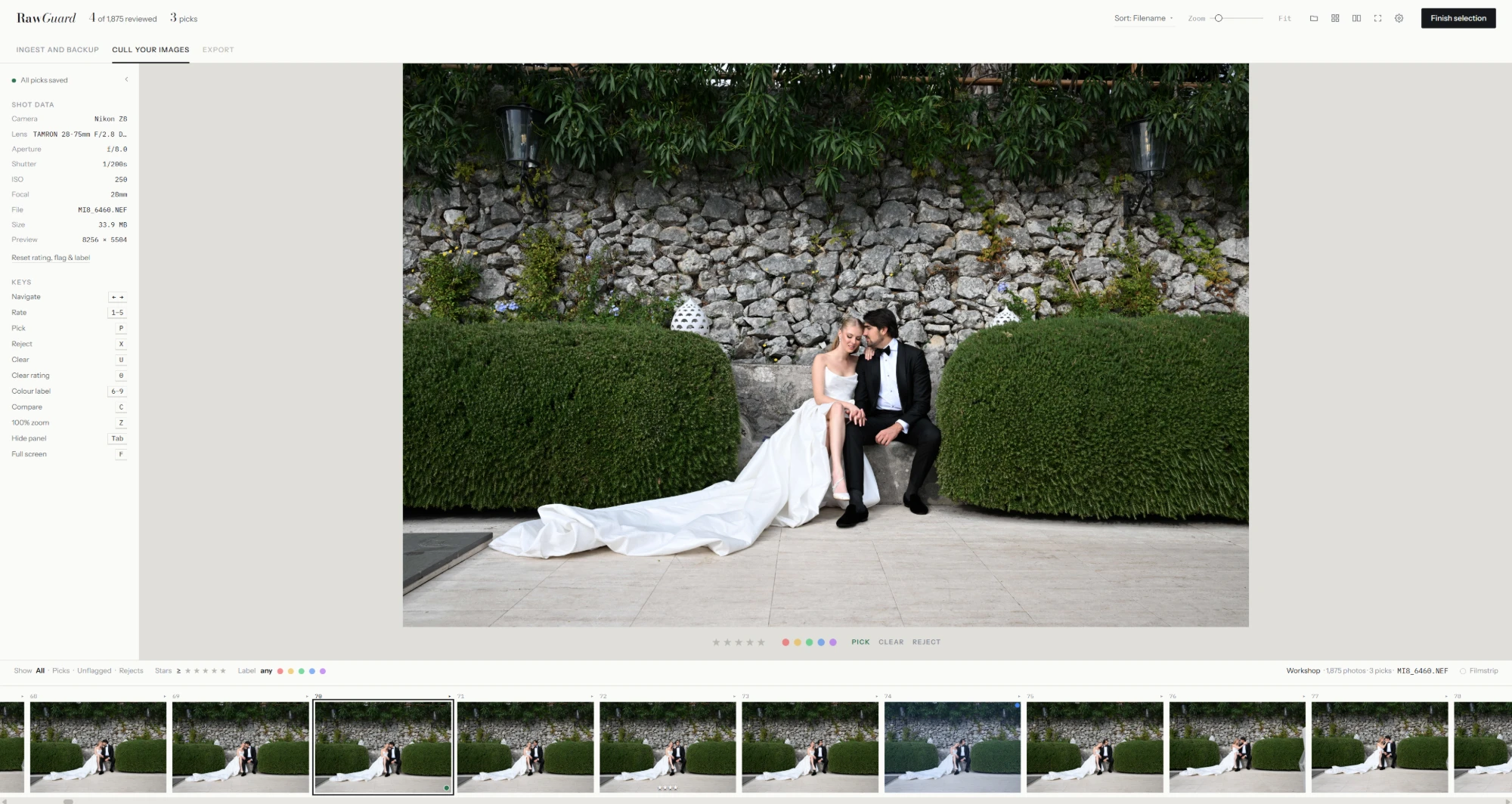
When the backup is done, open the shoot and start picking. No import step, no catalog, no waiting for previews.
- Rate
- 1–5
- Pick
- P
- Reject
- X
- Clear flag
- U
- Colour label
- 6–9
- Compare
- C
- 100% zoom
- Z
- Full screen
- F
-
i
Lightroom's keys
Stars, picks, rejects and colour labels on the keys your fingers already know. Turn on Caps Lock and every rating moves you to the next frame.
-
ii
Your picks travel with the files
Ratings, labels and flags are saved as XMP sidecars that Lightroom Classic reads, and written to the backup drive too, so the cull survives losing either drive.
-
iii
Loupe, grid, compare, filmstrip
Compare two frames side by side, check focus at 100%, and filter by picks, stars or label. Shot data sits beside every photo.
-
iv
Instant previews
RawGuard shows the full-size JPEG already inside each RAW, so scrolling through a wedding is instant. Works with NEF, CR2, ARW and DNG.
Export is coming soon.
Backup features
Backup, done properly.
-
i
Two drives, one pass
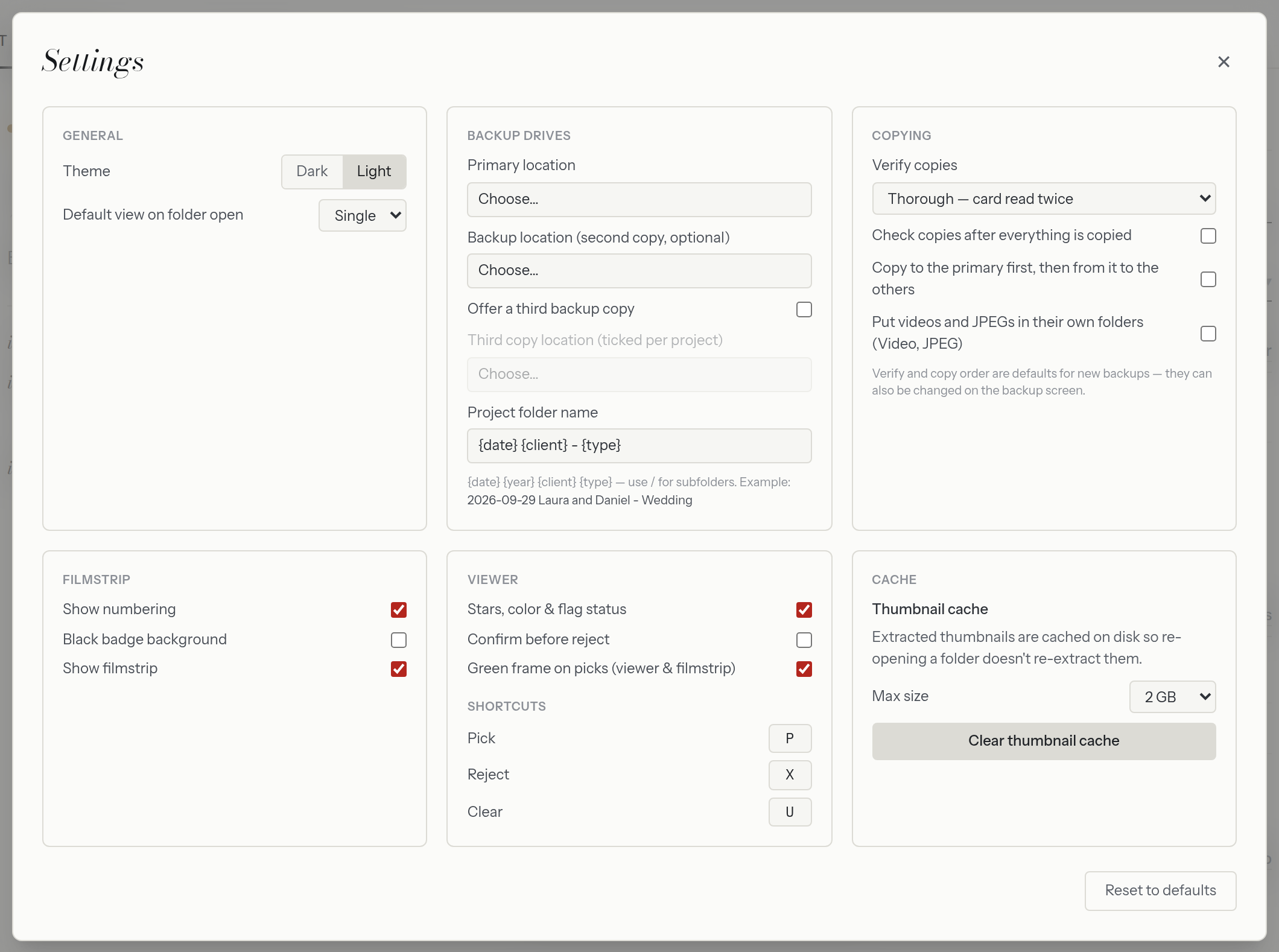
Each file is read from the card once and written to both drives together. Need more? Add a third copy for the projects that matter most. Or copy to the primary first and fan out from there.
-
ii
Verification your way
Read every copy back and compare, or skip it when you are in a hurry. You choose per card.
ThoroughStandardOff -
iii
Checksums and a report
A checksum list and a backup report are saved with every project, so you can prove what was copied, and check it again later.
-
iv
Eject when it is safe
Optionally eject the card only once everything is safely backed up. No more guessing before you format.
-
v
Tidy project folders
Client, date and project type become a consistent folder name on every drive, every time. Set your own pattern with
{date}{client}{type}, including subfolders. Optionally sort video into a Video folder and JPEG/HEIF into a JPEG folder, with RAWs kept at the top. -
vi
Pick up where you stopped
If a backup is interrupted, run it again. Files already copied are skipped, and everything copied so far stays safe.
Formats
Every file on the card.
RAW from every major camera, the JPEGs beside them, and your video clips. Thumbnails cameras make for their own clips are skipped. Culling previews currently cover NEF, CR2, ARW and DNG.
RAW
- NEF
- CR3
- CR2
- ARW
- RAF
- DNG
- ORF
- RW2
- PEF
- SRW
- IIQ
- 3FR
- +11 more
Video
- MP4
- MOV
- MXF
- AVI
- MTS
- M2TS
- MKV
- CRM
- BRAW
- R3D
JPEG & HEIF
- JPG
- HEIC
- HEIF
- HIF
- TIFF
“A card is not a backup. Until the files are on two drives, the shoot is not safe.”
RawGuard does one job first and does it carefully. Culling can wait for tomorrow. Your client's wedding can't be shot twice.
Beta testers
Help shape RawGuard.
RawGuard is in beta, and the photographers testing it now help decide what it becomes. Use it at real weddings, tell me what works and what doesn't, and see your ideas in the next versions.
RawGuard beta for Windows
Free for 30 days
Every feature. No card details, nothing to sign up for but your email.
- Every featureBackup, verification and culling, all of it, on your own cards.
- Your feedback shapes itTell me what works and what doesn't, through the contact form or by replying to any email. I read every message.
- 30 days, then it pausesThe beta stops after 30 days. Your photos, backups and XMP picks stay exactly where they are.
- Set up inside the appOn first launch, RawGuard asks for your name and what you shoot. Once.
Join the beta
Become a beta tester.
Use every feature free for 30 days, on your own cards, and help shape what comes next. Enter your email and the download starts straight away. You'll finish setting up inside the app.
Windows may say "Windows protected your PC" the first time, because RawGuard is new. Click More info, then Run anyway.
Windows 10 and 11 Version 0.9 beta 2.7 MB
We'll send you tips for getting started and news about RawGuard. Unsubscribe any time.
Contact
Questions, ideas, bugs.
Write to me about anything RawGuard. I read every message and reply by email.