 RawGuard
Why two drives
Drives fail without warning. They get dropped from a table, left in a car or stolen from a bag. A drive that's been fine for three years can stop spinning the night after a wedding.
With one drive, any of those means the shoot is gone the moment the card is formatted. With two, it's an inconvenience: you copy the shoot again from the other drive and carry on.
Two copies on separate drives, plus the card until it's formatted, is the minimum for paid work. The 3-2-1 rule adds a third copy kept somewhere else.
Two ways to get a card onto two drives
One after the other. Copy the card to the first drive, then copy it again to the second. It's simple, but the card is read twice, so it takes about twice as long. The shortcut, copying the first drive to the second, is quicker but repeats any mistake in the first copy unless each file is checked against the card.
At the same time. Read each file from the card once and write it to both drives together. The card reader is usually the slowest part of a backup, so the drives keep up, and two copies take roughly as long as one.
| One after the other | At the same time | |
|---|---|---|
| Card read | Twice | Once |
| 128 GB card, fast reader | About 17 minutes | About 9 minutes |
| Wear on an old card | Double | Single |
| Goes at the pace of | The card, twice | The slowest of the three |
Times are rough, for a card reader around 250 MB/s and drives that keep up, before verifying. Your own card, reader and cables decide the real figures.
What if one drive is slow?
Writing both drives at once goes at the pace of the slowest part. Pair a fast SSD with an older USB hard drive and the hard drive can become the limit, often around 100 to 150 MB/s.
The fix is to copy the card to the fast drive first, so the card is done and back in the bag sooner, then copy from that drive to the slow one. The second step must check every file against the card's original checksum, so a bad first copy is caught rather than copied again.
Check your cables and ports
A fast drive on an old USB 2 port or a long, cheap cable can be slower than the card. If one drive is always far behind, try another port before blaming the drive.
What if a drive fills up?
A drive that runs out of space halfway leaves you with one complete copy and one partial one, often late at night with nowhere to free up room. Before you start, check that each drive has space for the whole shoot, with some to spare.
If a drive is unplugged or fills up mid-copy, don't start again from scratch into a new folder. Copy into the same folder, skip the files already there, and verify everything once it's done.
Choosing your two drives
- A fast SSD as the first drive. It's the one you'll cull and edit from.
- A larger hard drive as the second. Cheaper per terabyte, and fine for a copy you rarely open.
- Different models, if you can. Two drives from the same batch can share the same fault.
- Name them clearly, for example "Studio SSD" and "Archive Vault", so you always know which is which.
- Keep them apart once the shoot is safe: one at home, one in the studio or another bag.
How RawGuard does it
RawGuard reads each file from the card once and writes it to your primary and backup drives at the same time. Before it starts, it checks the shoot fits on both and warns if a drive is reporting a health problem.
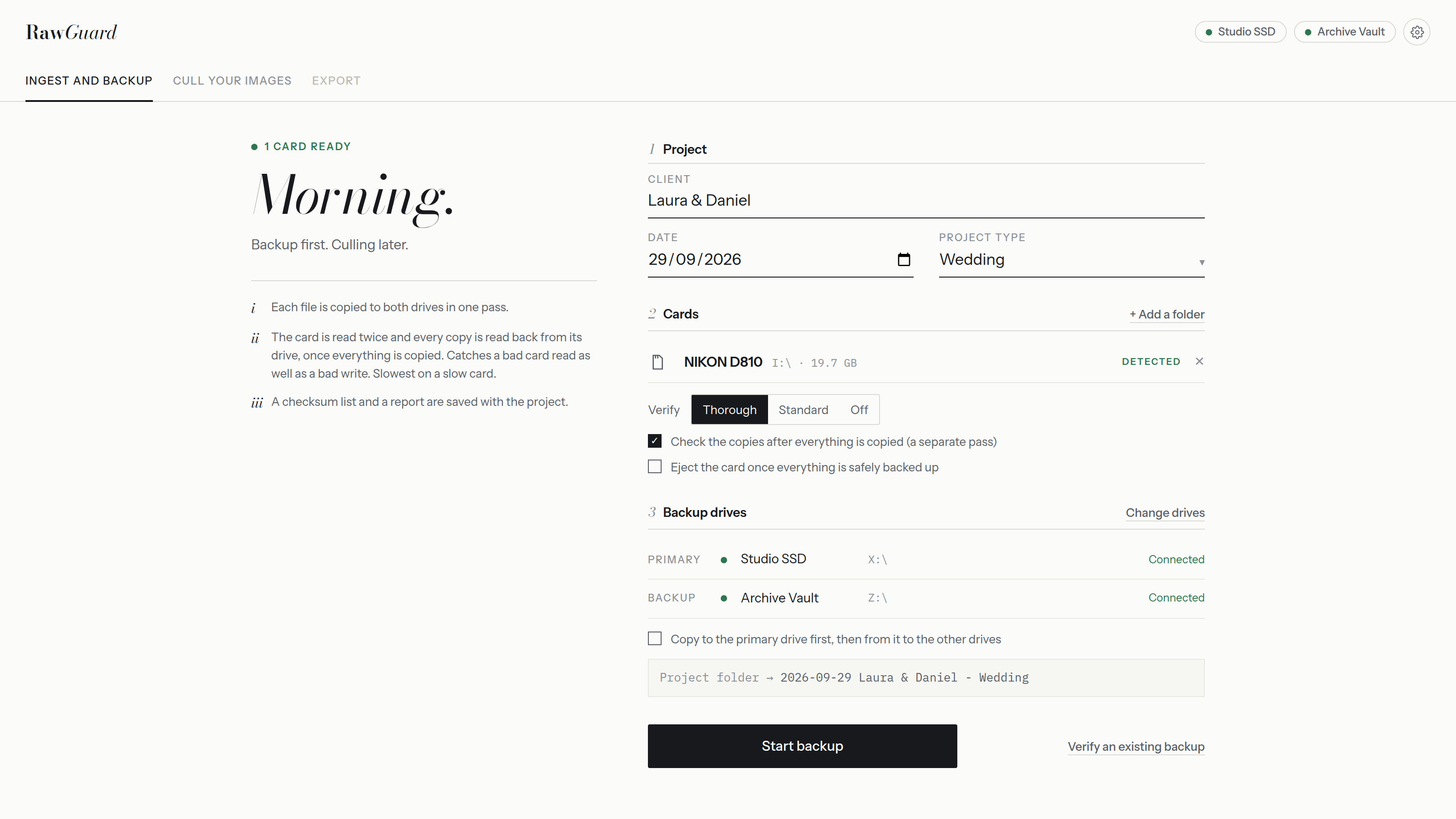
- A slow second drive? Turn on "Copy to the primary first, then from it to the others" in Settings. The copies from the primary are checked against the checksums taken from the card.
- Need a third copy? Turn on a third backup location for the projects that matter most.
- Interrupted? Run the backup again. Files already copied are skipped, and everything is verified.
- Every copy verified, with a checksum list and a backup report saved on each drive.
Questions
- Does writing to two drives at once make the backup slower?
- Usually only a little. The card reader is normally the slowest part, so both drives keep up. The backup goes at the pace of whichever is slowest.
- Do both drives need to be the same size?
- No, but each needs room for the whole shoot. A fast SSD to work from and a larger hard drive as the backup is a common pairing.
- Can I back up several cards at once?
- Yes, with a reader for each card. In RawGuard every card goes into the same project folder on both drives.